

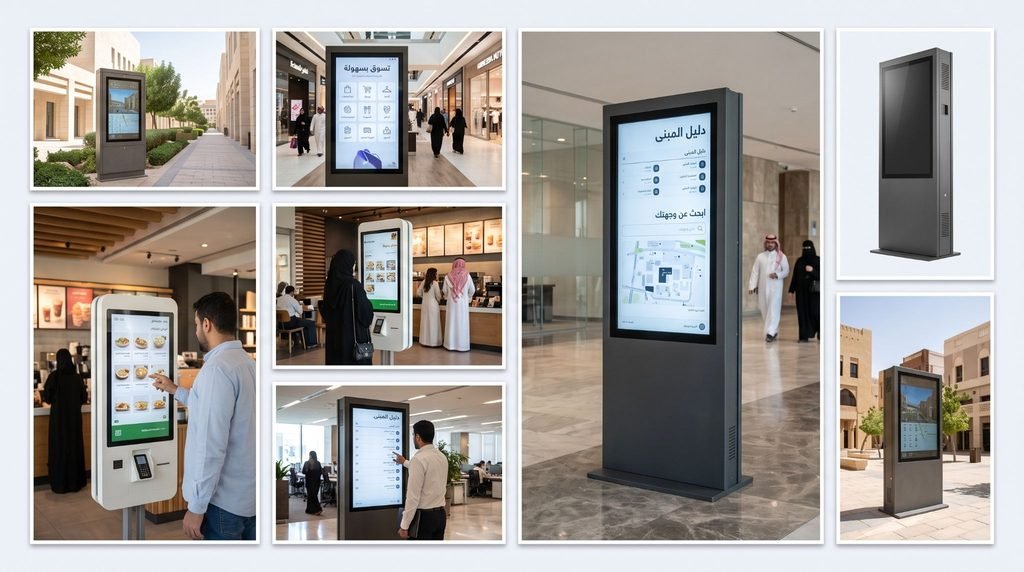
Digital kiosk signage in Riyadh is a screen built into a purpose-made enclosure that stands, hangs or sits where people walk. It shows adverts, directions or information, and some versions respond to touch. Businesses use it in malls, hospitals, hotels, government offices and showrooms, where a flat wall sign cannot hold enough information or change fast enough.
Kiosks come in several formats. Freestanding touch kiosks, outdoor weatherproof units, poster-style standees, wayfinding directories and wall-mounted units cover most projects. Each one needs a different enclosure, a different screen brightness and a different content setup.
Etihad Golden Falcons fabricates, brands and installs kiosks as complete systems through our digital kiosk signage services. The screen is only one part. The enclosure, the branding, the mounting and the content setup decide whether a kiosk works for years or fails in months. This guide covers the main kiosk types, how enclosures are built, what each business sector needs, what a kiosk costs and which mistakes to avoid before you order.
Why Does the Kiosk Build Matter More Than the Screen?
A kiosk is the one sign people stand in front of. They walk up, touch it and read it from arm’s length. Every flaw shows.
A screen in a thin, unvented housing overheats in summer heat. It dims. It restarts. Staff stop trusting it. A visitor taps a frozen display, walks away and asks at the counter instead. The kiosk is now a black rectangle taking up floor space.
Outdoor units fail faster. Direct sun washes out a standard screen. Dust gets into open vents. Glare and fingerprints make a touch display unreadable by midday.
Most kiosk failures are build failures, not screen failures. The enclosure, the cooling, the brightness rating and the mounting need the same attention as the display.
What Types of Digital Kiosk Signage Are Available?
Kiosk types differ in build, screen and purpose. Pick the type by where it stands and what visitors need to do at it.
| Kiosk Type | Defining Features |
| Freestanding Touch Kiosks | Floor base, touch screen, 43 to 55 inch, indoor |
| Outdoor Digital Kiosks | Weatherproof housing, high-brightness panel, cooling |
| Poster & Standee Kiosks | Portrait screen, slim body, usually non-touch |
| Wayfinding & Directory Kiosks | Touch maps, searchable listings, large display |
| Wall-Mounted Kiosks | Fixed to the wall, no floor footprint |
| Dual-Screen Kiosks | Two faces back to back, two-sided viewing |
| Interactive vs Non-Interactive Kiosks | Touch response against looped content |
Freestanding Touch Kiosks
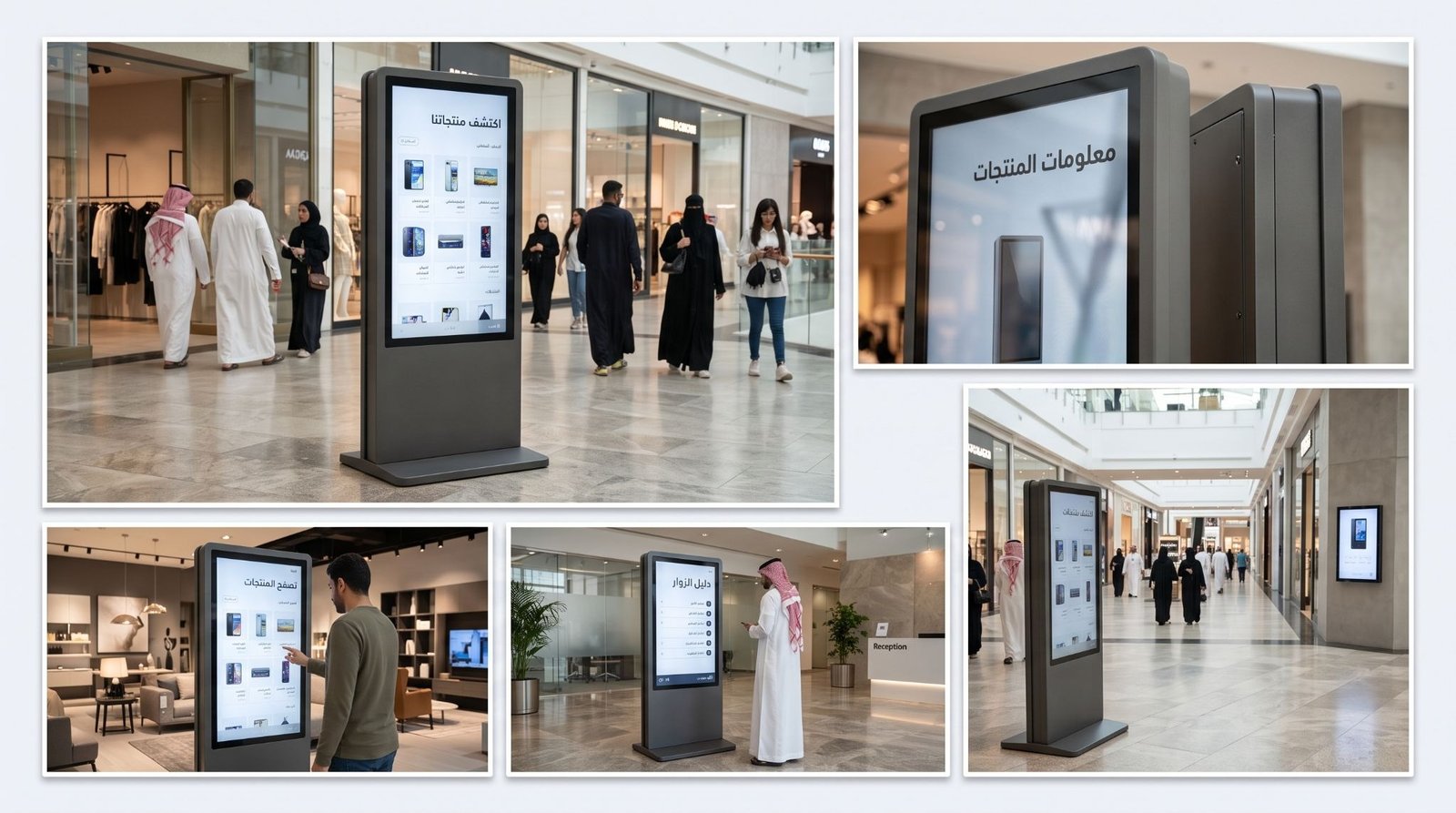
This is the standard indoor kiosk. A floor-standing cabinet holds a 43, 49 or 55 inch touch screen, a media player and the cabling. Visitors browse product ranges, request information or check availability. It suits lobbies, showrooms and mall corridors with open floor space. In a narrow corridor it blocks movement, and a wall-mounted unit is the better choice there.
Outdoor Digital Kiosks
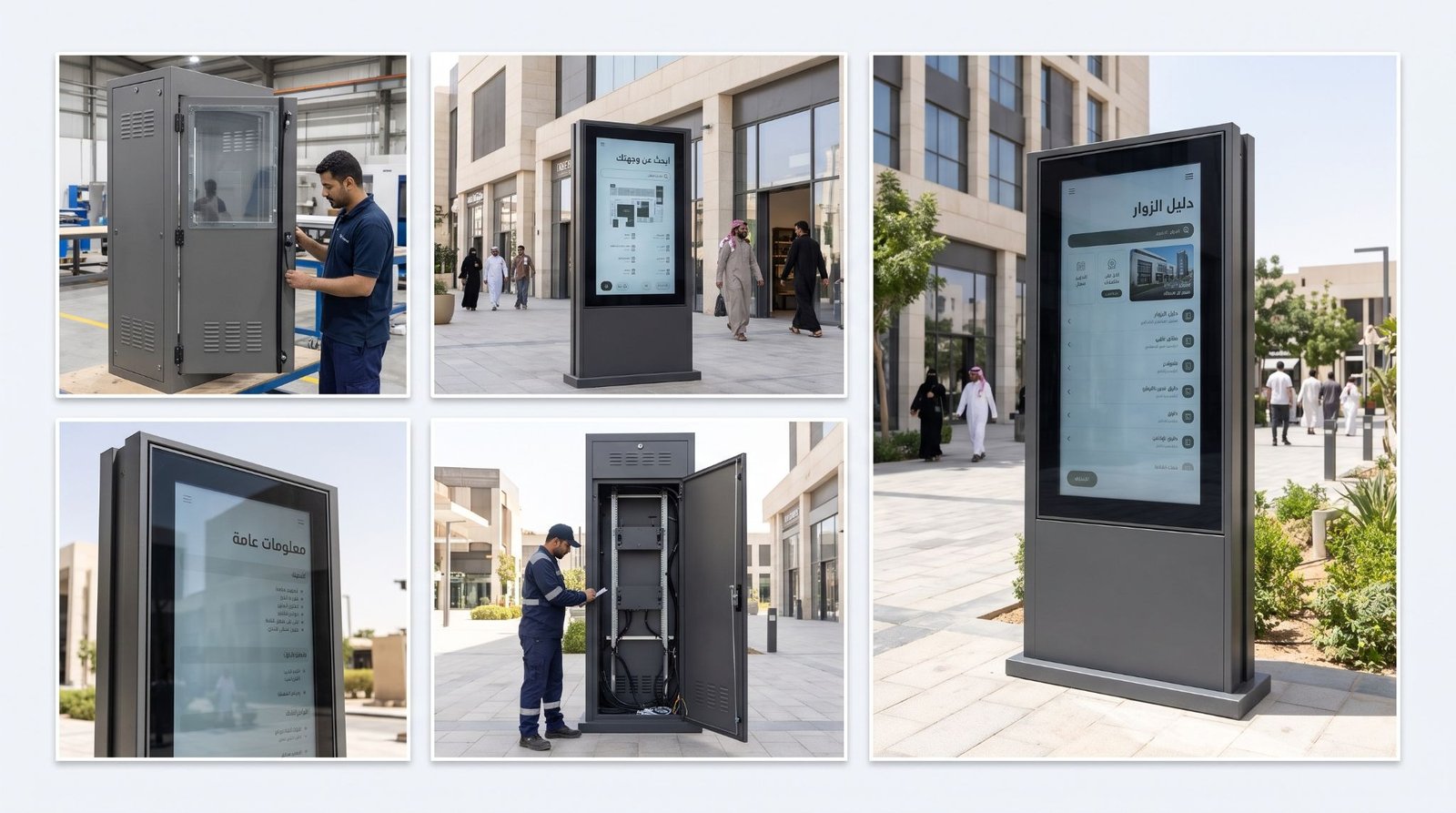
An outdoor kiosk sits behind tempered glass in a sealed, cooled housing with a high-brightness panel, usually 2,000 nits or above. It is built for sun, dust and heat. Car parks, entrances, forecourts and open walkways are typical spots. An indoor kiosk placed outside looks fine on day one and fails by the first summer.
Poster & Standee Kiosks
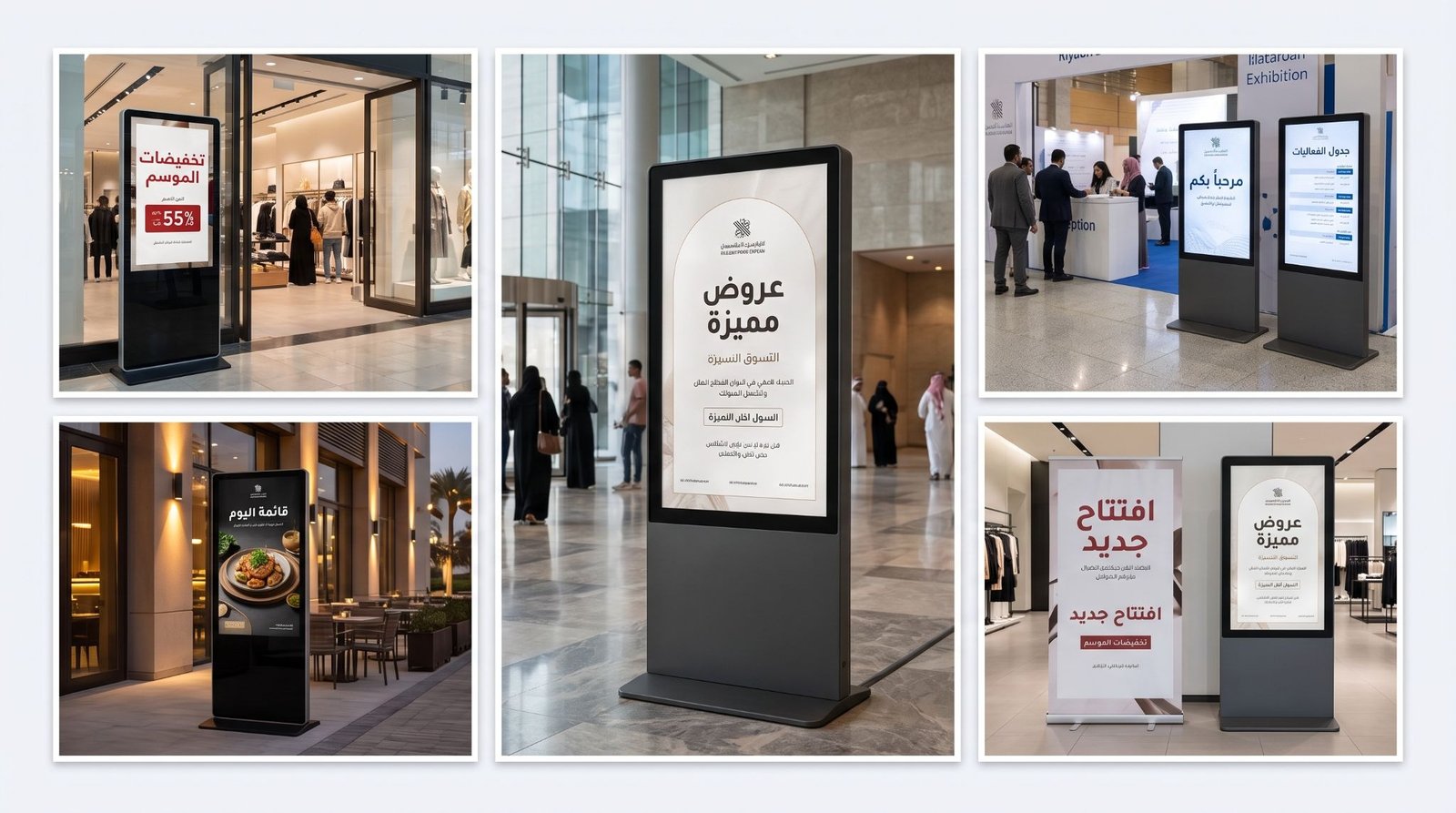
A poster kiosk uses a slim portrait screen to play adverts, offers and event content. Most are non-touch. Shops, mall walkways and reception areas use them where a printed poster would need replacing every week. They do not suit tasks that need visitor input, because there is nothing to tap.
Wayfinding & Directory Kiosks
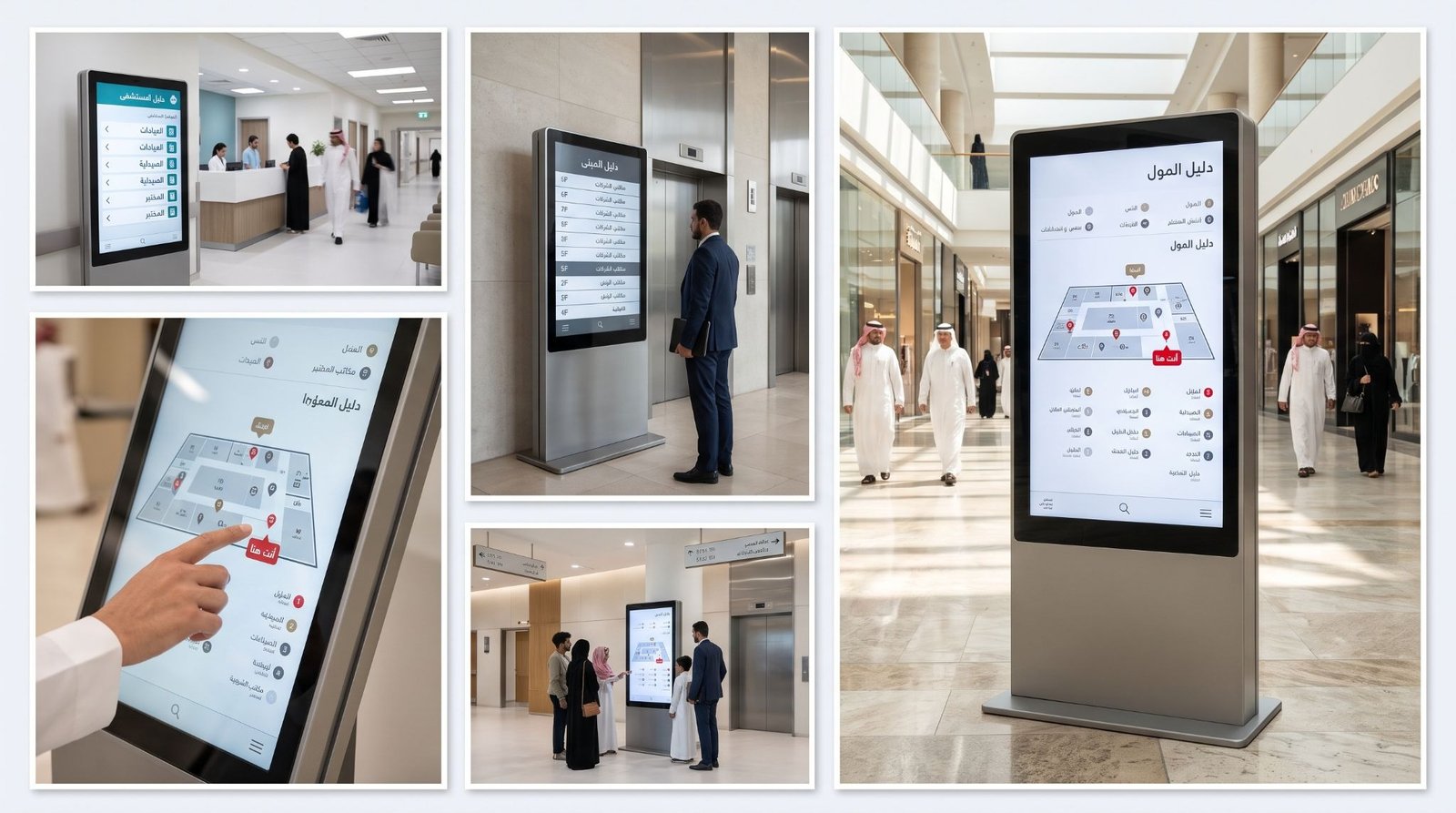
These kiosks hold touch maps, floor plans and searchable listings. A visitor finds a shop, a clinic room or an office in a few taps. They work best at entrances and lift lobbies, where people decide which way to go. A directory placed deep inside a building arrives too late to help anyone.
Wall-Mounted Kiosks
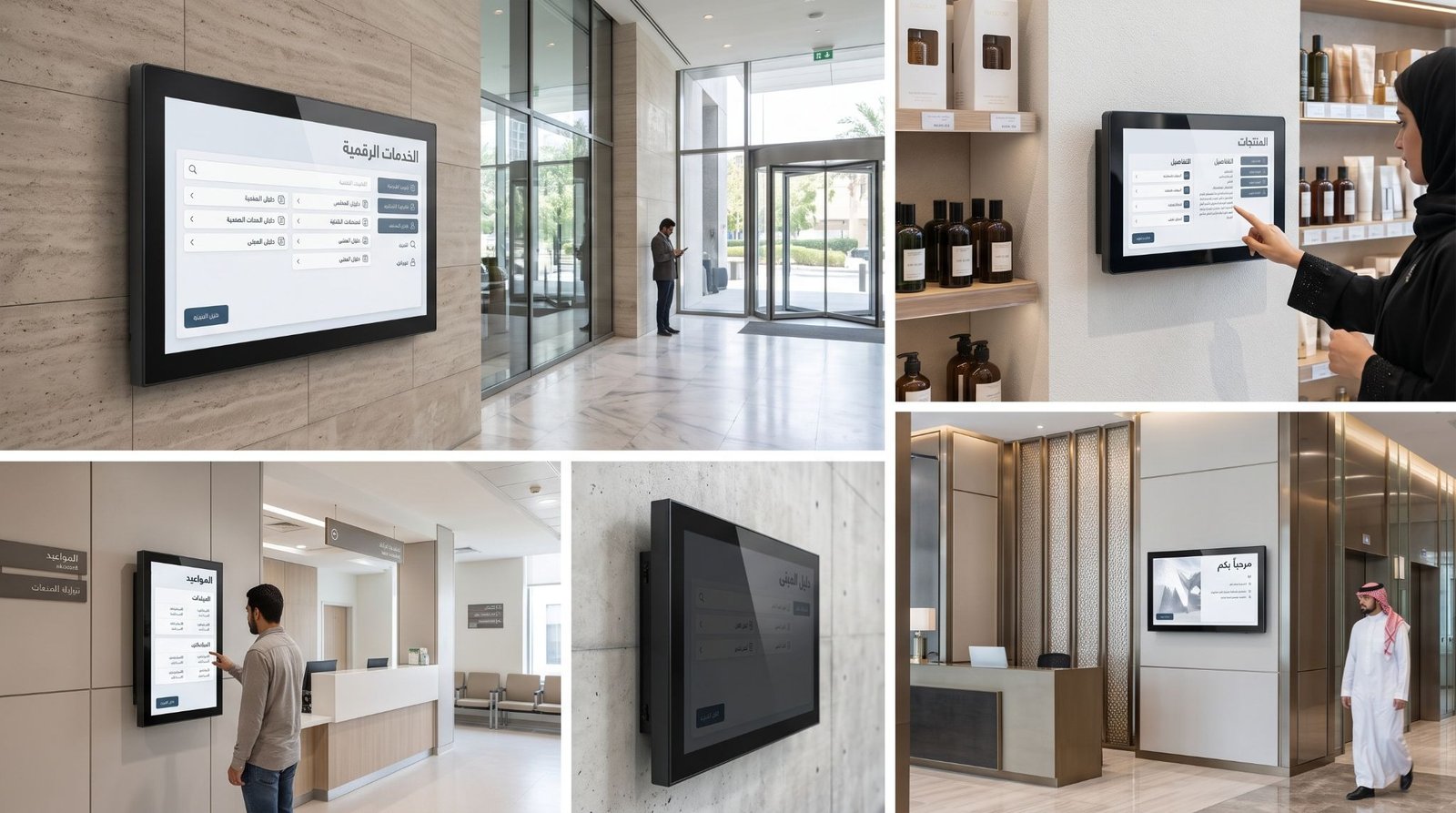
The screen and housing fix directly to the wall at touch height. Nothing stands on the floor, so corridors, narrow lobbies and busy walkways stay clear. Most are indoor. Check the wall first, because a weak partition cannot carry the weight.
Dual-Screen Kiosks
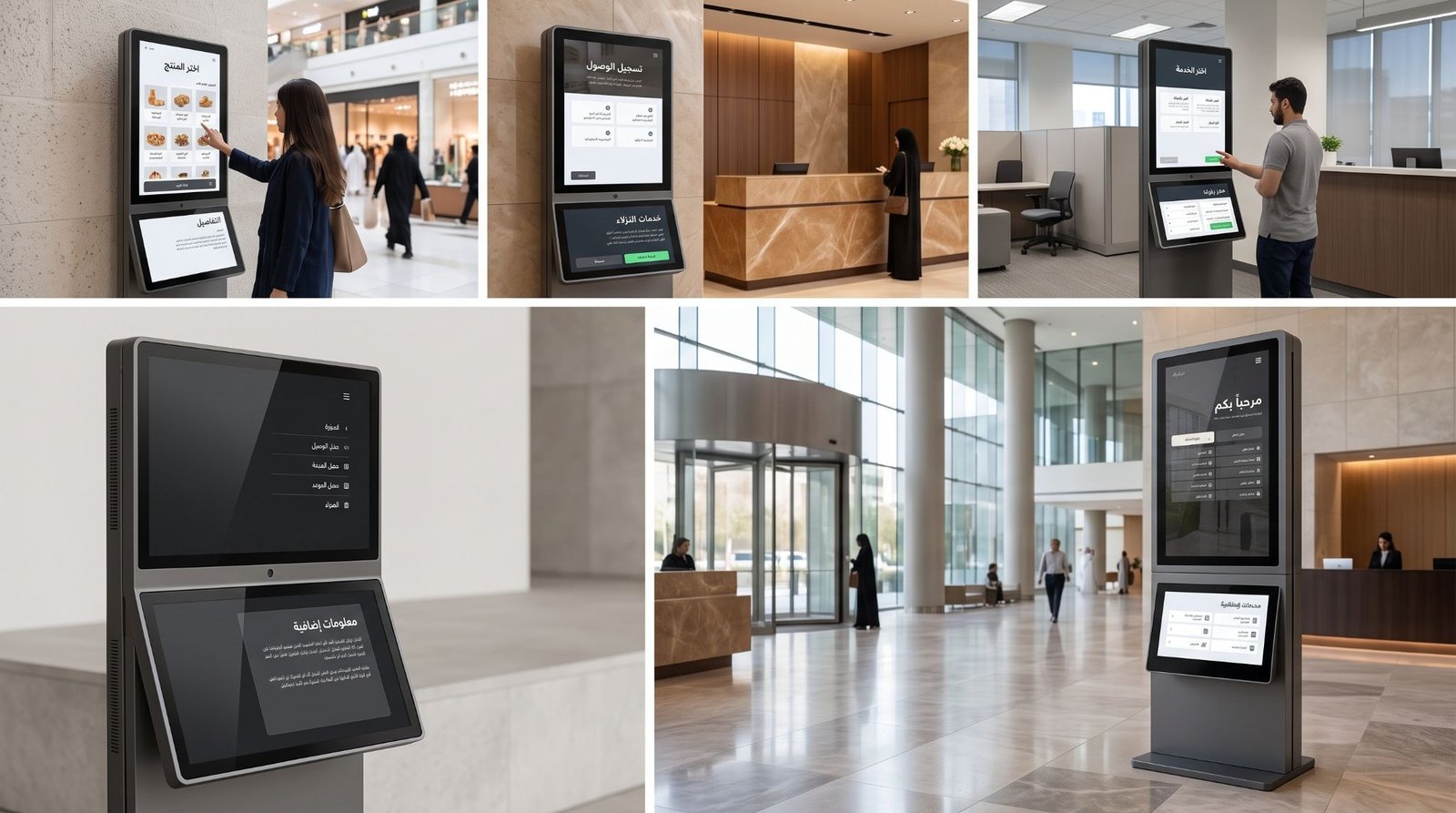
Two screens sit back to back in one frame. People on both sides of a walkway see the content at once. Malls, airports and event halls use them in the middle of wide circulation space. Against a wall, the second screen faces nobody and the extra cost is wasted.
Interactive vs Non-Interactive Kiosks
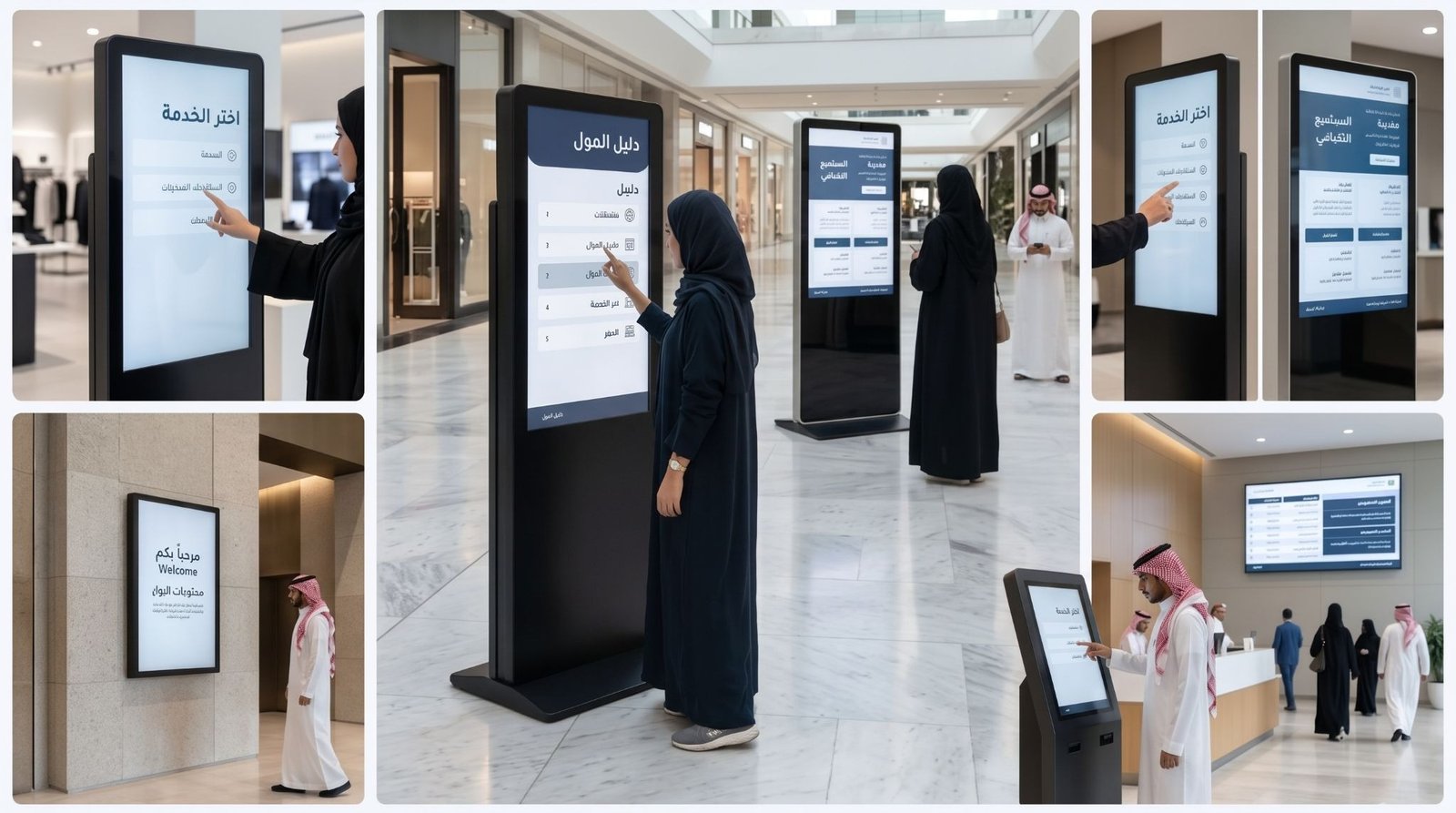
An interactive kiosk responds to touch and runs menus, maps or forms. A non-interactive kiosk loops video or images and takes no input. Choose interactive when visitors need to find or request something. Choose non-interactive when the job is promotion. A touch layer adds cost, so do not pay for it when nobody will use it.
What Should You Check in a Kiosk Enclosure & Housing?
The enclosure protects the screen, hides the cabling and carries your brand. Five things decide how well it does that job.
- Material: Powder-coated steel, stainless steel, aluminium and ACP cladding all work. The choice depends on location and finish.
- Cooling: Vents, fans or sealed heat management keep the screen and player inside safe operating temperature.
- Front glass: Tempered glass resists scratches and impact. An anti-glare or anti-reflective layer keeps the screen readable under bright lights.
- Ingress protection: Outdoor units need sealing against dust and water. Indoor units need only basic dust control.
- Service access: A lockable rear or side panel lets technicians reach the player, power supply and cables without removing the whole kiosk.
Branding sits on the enclosure as well. Printed vinyl panels, backlit headers, cut logos and colour-matched finishes turn a generic cabinet into part of your brand. This is where a signage company adds value that a screen supplier does not.
Use powder-coated steel if you are:
- Placing kiosks indoors in a mall, hospital or showroom and want a durable painted finish in your brand colours.
- Working to a mid-range budget with standard shapes.
Use stainless steel if you are:
- Installing outdoors, near entrances or in areas that need frequent cleaning.
- Placing a kiosk where damp, dust or heavy handling is expected.
Use aluminium or ACP cladding if you are:
- Building a custom shape, curved profile or branded header.
- Matching the kiosk to existing facade or interior cladding.
How Is Kiosk Content Managed?
A kiosk is only as useful as what it shows. Digital signage kiosk software handles three jobs: it stores your content, schedules it and sends updates to the screen.
- Content management: You upload videos, images, menus or maps from a browser. No one needs to visit the kiosk.
- Scheduling: Morning offers, lunch menus and weekend promotions switch on their own at set times.
- Remote updates: One change reaches every kiosk in your network, in one branch or twenty.
Interactive kiosks add a touch interface on top. That means menus, maps and forms built for fingers, in Arabic and English. Large buttons and short screens work better than dense text. Non-touch kiosks need only a media player and a content schedule.
Build a content plan before the kiosk goes live. Decide who updates it, how often and what the screen shows when the network drops. A kiosk with stale content is worse than a blank wall.
How Do Different Businesses Use Digital Kiosk Signage?
Different businesses need different kiosks. Below is where each type fits and what it does once it is running.
Malls & Shopping Centres
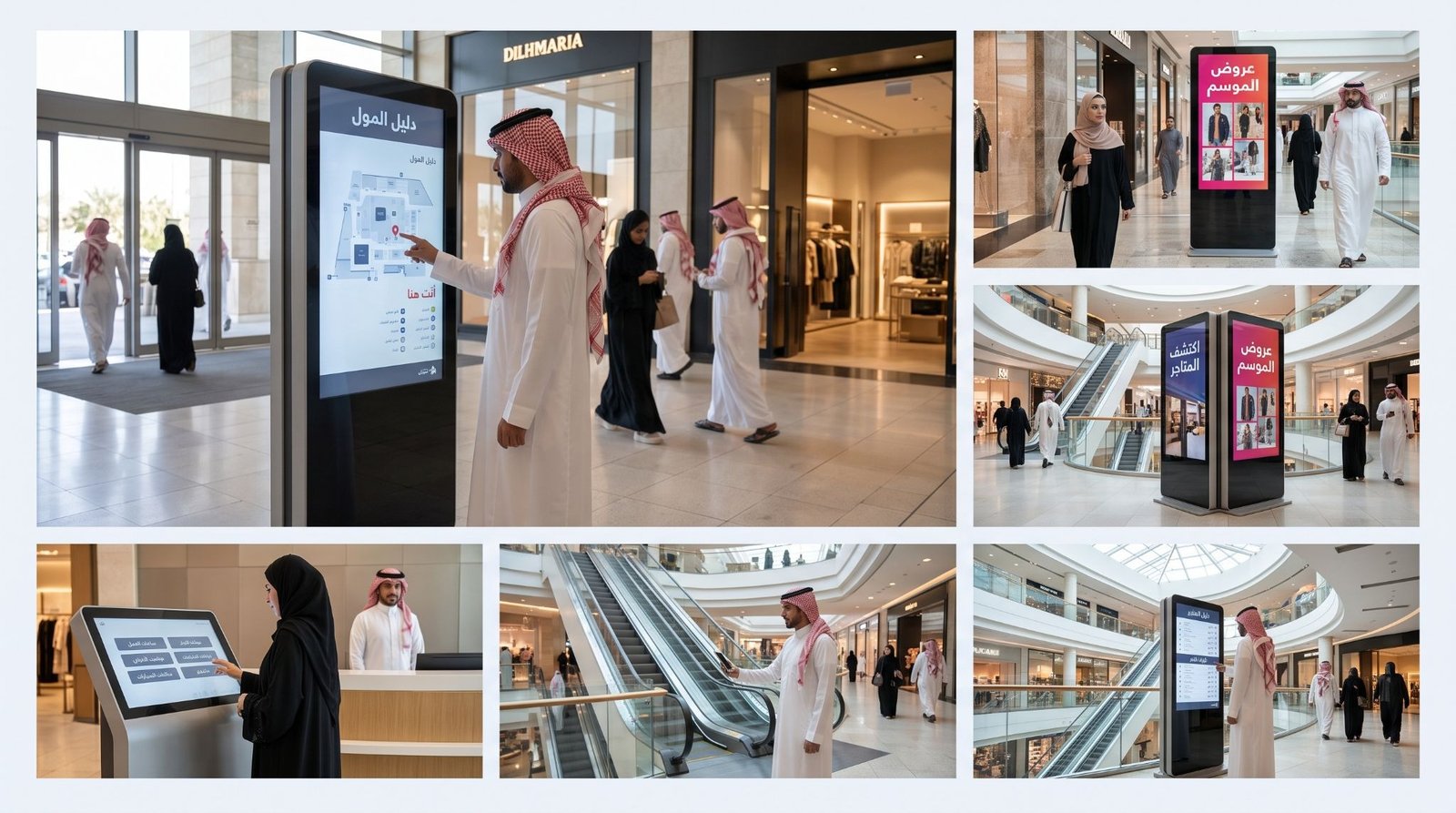
Malls, shopping centres and retail parks hold hundreds of tenants across several floors. Visitors arrive with one shop in mind and little idea where it is.
The same visitors walk past promotions without stopping. Printed posters age within days and nobody has time to swap them. Directory boards go out of date every time a tenant changes.
- Near main entrances, a wayfinding kiosk lets visitors search a shop by name and see the route.
- Poster kiosks along walkways run tenant adverts and seasonal offers without a print order.
- In wide atriums, a dual-screen kiosk reaches people walking from both directions.
- A freestanding touch kiosk at the information desk answers questions on opening hours, events and parking.
Hospitals & Clinics
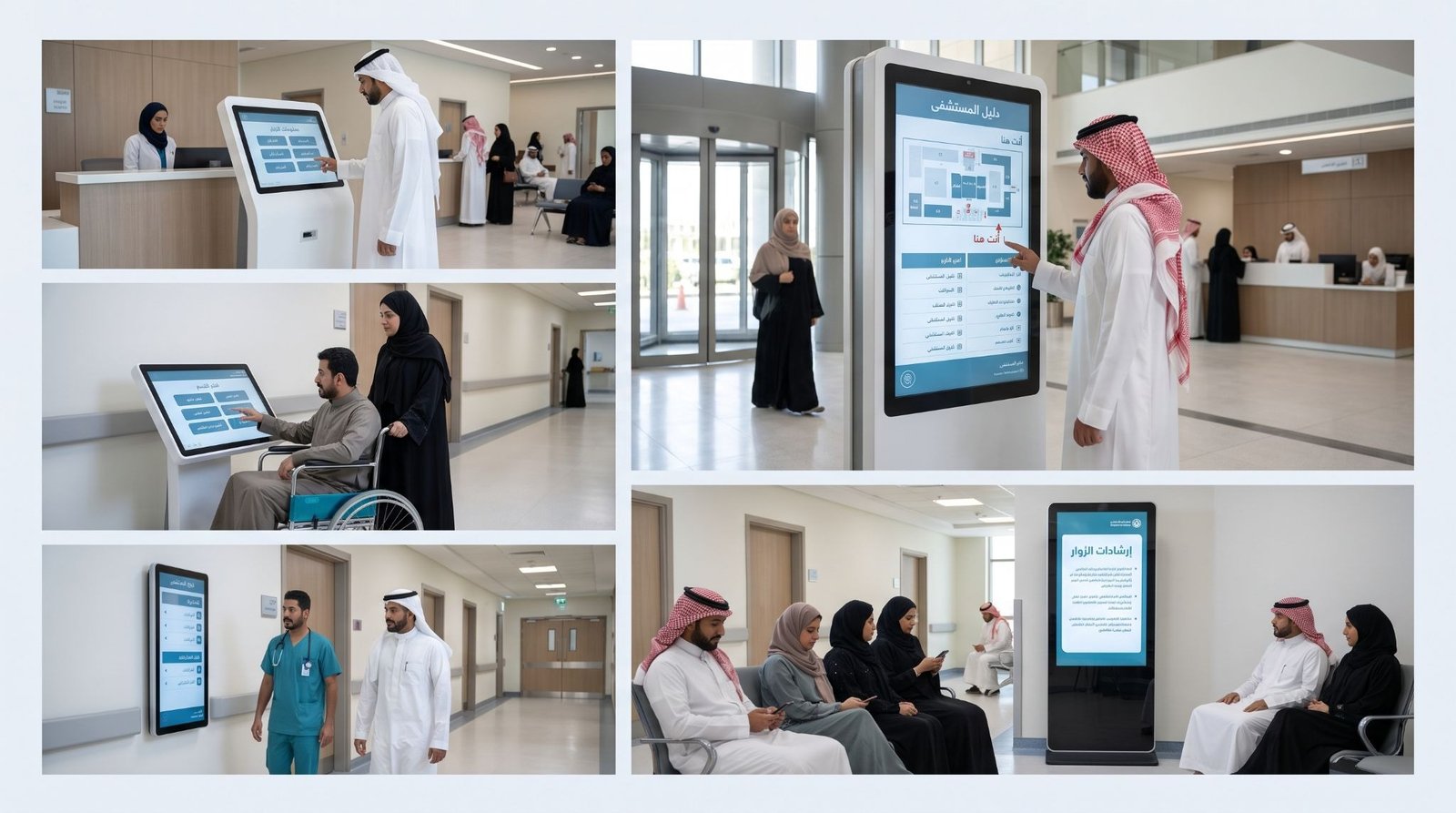
Hospitals and clinics receive patients who are unwell, anxious and often unfamiliar with the building. Long corridors and many departments turn simple questions into urgent ones.
Reception staff answer the same questions all day. Which floor is radiology. Where is the pharmacy. A kiosk takes that load off the desk. It has to be easy to clean, easy to read and reachable from a wheelchair, which sets the mounting height and the finish. It works best inside a full hospital wayfinding system.
- Beside the main entrance, a directory kiosk shows departments, consulting rooms and lift locations.
- At registration areas, a freestanding touch kiosk gives visitor information and visiting hours.
- In narrow corridors, use a wall-mounted kiosk, because a floor unit would block trolleys and wheelchairs.
- Poster kiosks in waiting areas carry health notices and clinic announcements.
Hotels & Hospitality
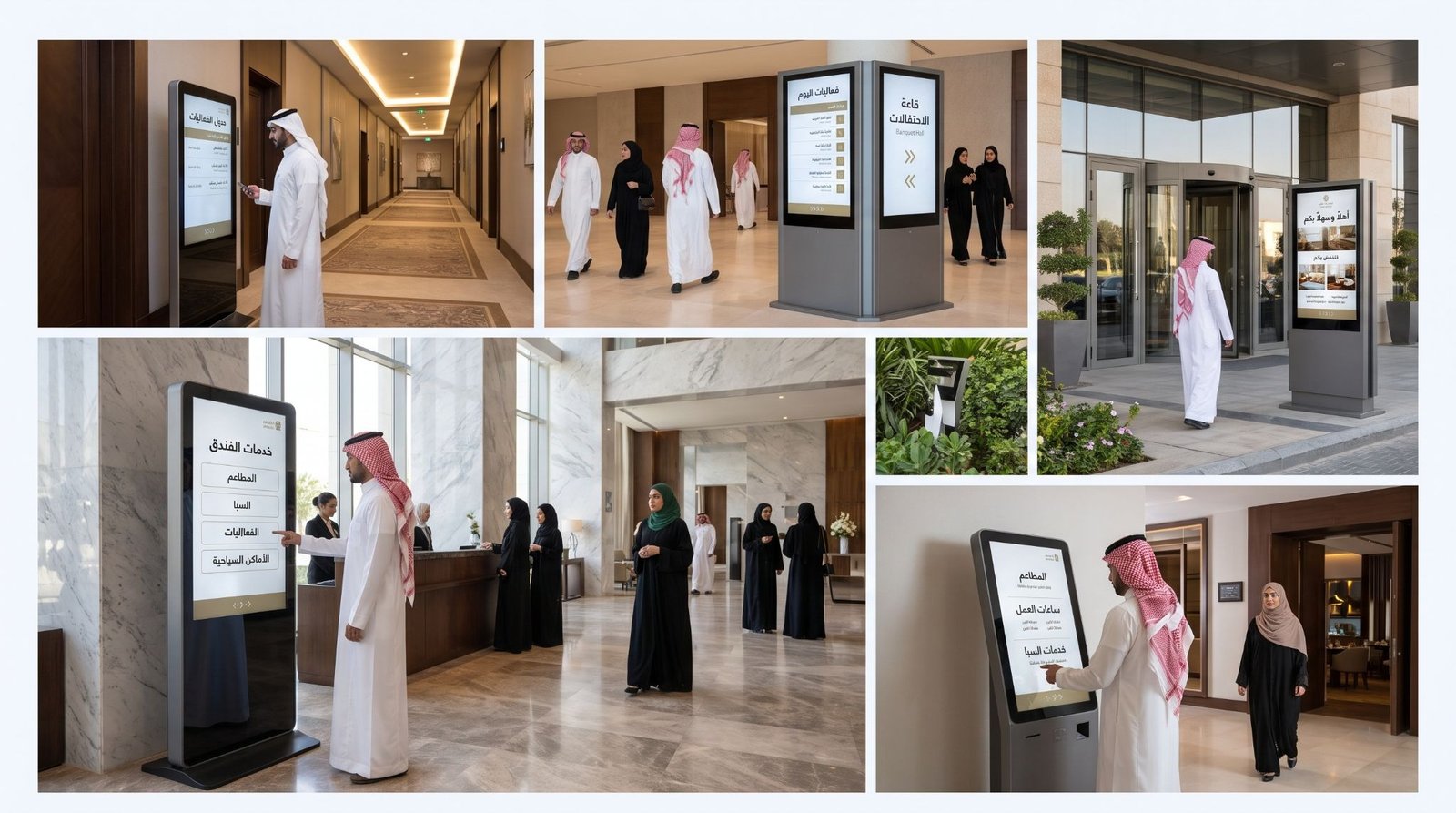
Hotels, resorts and serviced apartments sell an experience before the guest reaches the room. The lobby, the restaurants and the event halls all compete for attention.
Guests want to know what is on, where it is and when it starts. Printed stands in the lobby get replaced by hand and often look it. A kiosk keeps the information current and in the property’s own style.
- In the lobby, a touch kiosk lists restaurants, spa hours, events and local attractions.
- Outside meeting rooms, poster kiosks show the day’s sessions and room allocations.
- At junctions between banquet halls, a dual-screen kiosk points guests to the right door.
- Out front, a branded outdoor kiosk carries the property’s offers and welcome message.
Government & Public Services
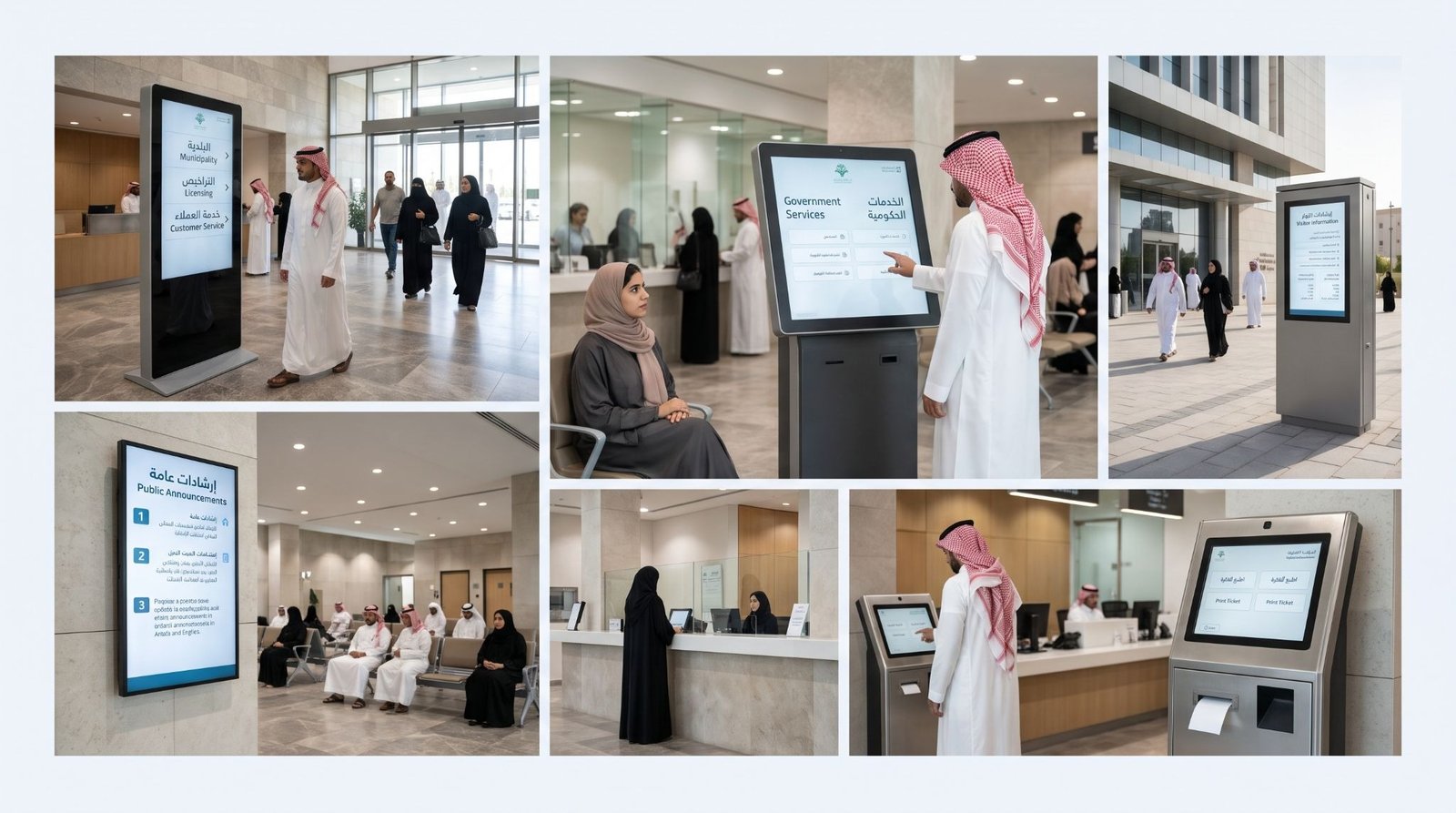
Government offices, municipal centres and service counters serve many people with one question in common: where do I go. Queues form at the information desk when the signage fails.
Public buildings also bring harder conditions. Heavy handling, long opening hours and a wide range of users. The kiosk needs a strong housing, large touch targets and content in Arabic and English.
- At the entrance, a directory kiosk lists departments, floors and services in both languages.
- Across waiting halls, non-touch kiosks play announcements, process steps and required documents.
- Where the entrance is open to the sun, an outdoor kiosk carries public notices and directions.
- At high-traffic counters, a freestanding kiosk with a toughened glass front holds up to constant use.
Retail Stores & Showrooms
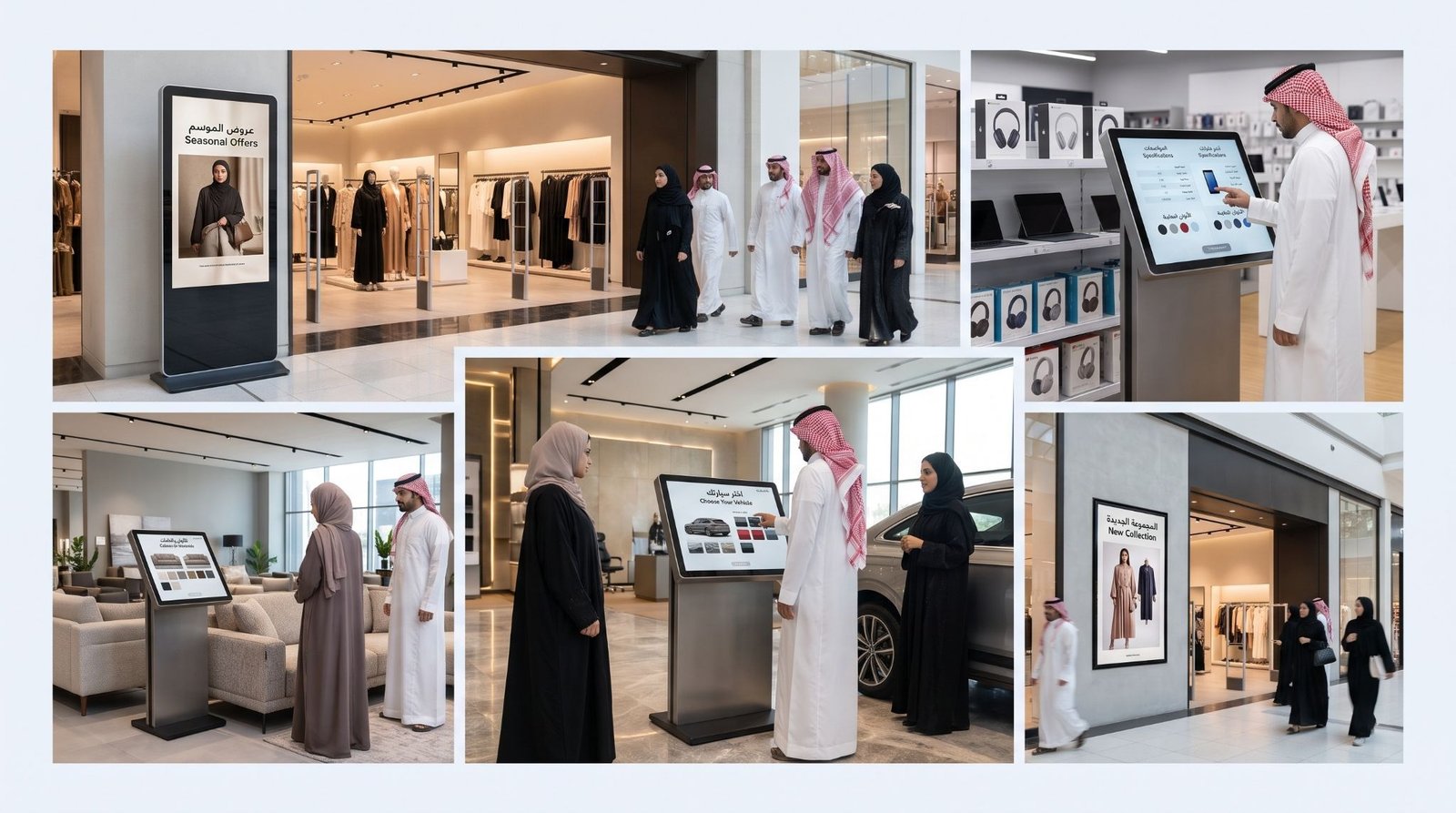
Fashion outlets, electronics stores, car showrooms and furniture galleries all carry more products than the floor can display. Customers want to see sizes, colours, specifications and offers.
A kiosk extends the shelf. It also carries promotions that change by the week. The look matters here, because a plain black cabinet stands out for the wrong reasons. For screens across the whole shop floor, see our guide to digital signage for retail.
- At the store entrance, a poster kiosk shows the current offer before the customer reaches a shelf.
- Beside product displays, a touch kiosk shows the full range, colours and specifications.
- In car showrooms, a freestanding touch kiosk lets customers compare models and trims on one screen.
- Along the shopfront, a wall-mounted kiosk shows the latest collection to people passing by.
Museums & Exhibitions
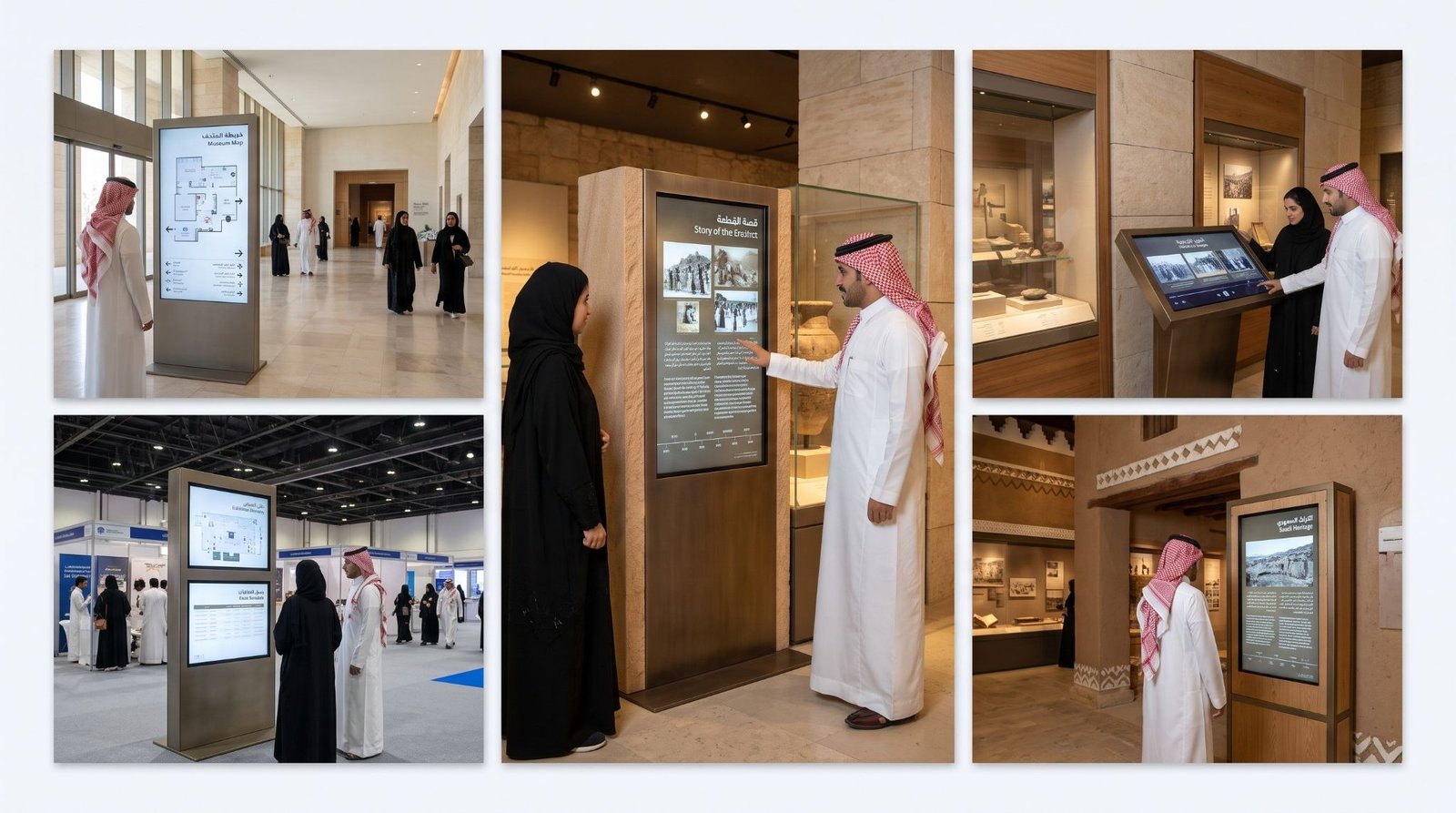
Museums, galleries, heritage centres and exhibition halls tell stories, and printed labels hold only so much. Visitors want more depth, in their own language, at their own pace.
Kiosks add video, maps and timelines beside an exhibit. They also take heavy handling. Museum kiosks often need custom shapes that suit the display, which makes fabrication matter more than screen choice.
- Beside key exhibits, interactive kiosks play video, archive images and short explanations on touch.
- At the entrance, a wayfinding kiosk shows the route through the halls.
- Inside exhibition halls, dual-screen kiosks guide crowds to stands and sessions.
- For themed displays, a custom-built kiosk in the exhibit’s own finish blends into the setting.
Corporate Lobbies & Banks
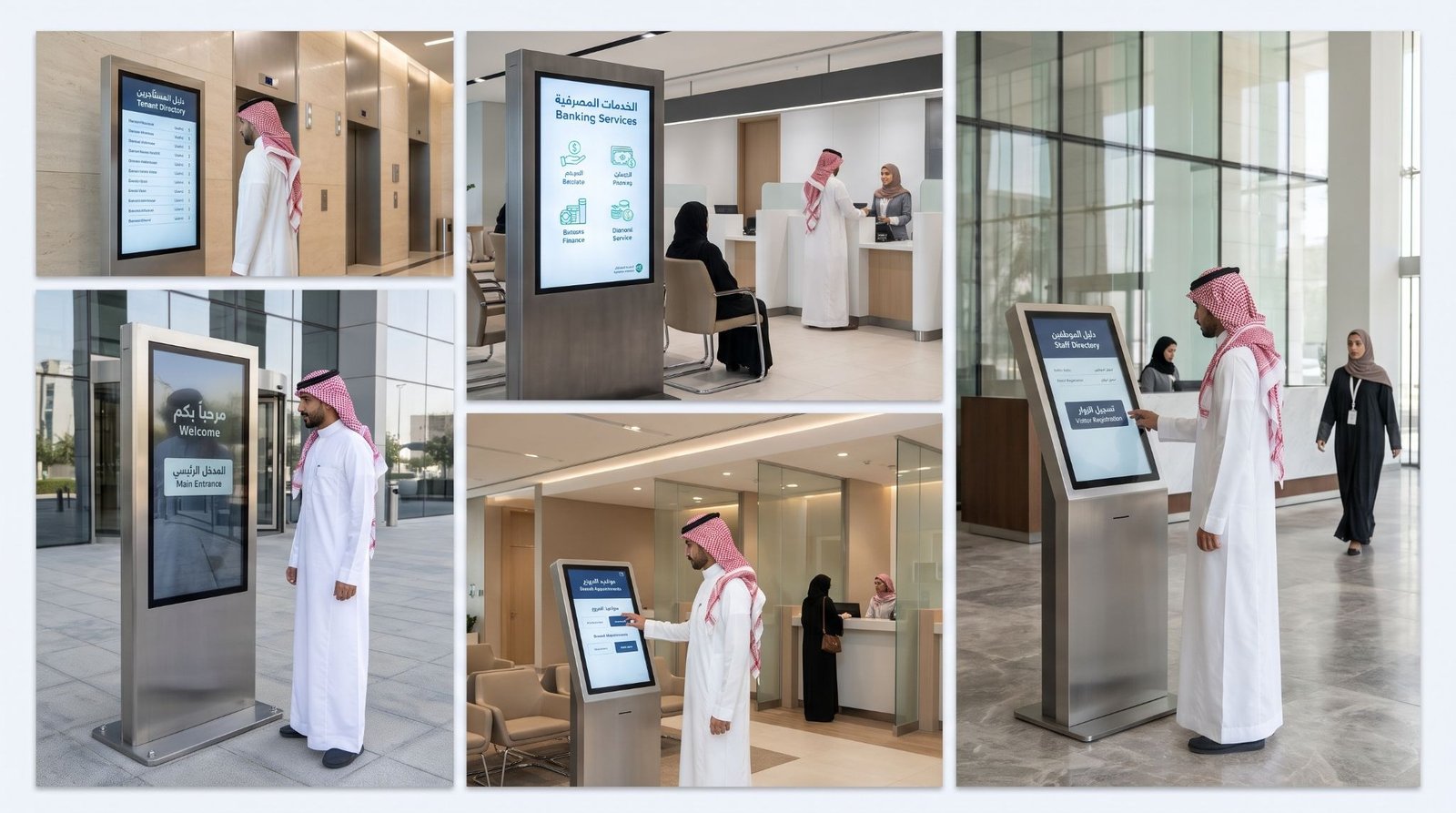
Corporate offices, banks and business towers see the same visitors every day: clients, couriers, interview candidates and delivery staff. First impressions form in the lobby.
A kiosk replaces the printed tenant board and cuts the questions at reception. Banks add product promotions and branch information. The housing needs a finish that matches the lobby interior, such as brushed steel or cladding.
- In tower lobbies, a directory kiosk lists tenants, suite numbers and floors.
- Across bank branches, poster kiosks show product offers and branch services.
- At reception, a freestanding touch kiosk gives visitors the staff directory and building information.
- Outdoors at the entrance, an outdoor kiosk carries the company name and visitor instructions.
Education & Universities
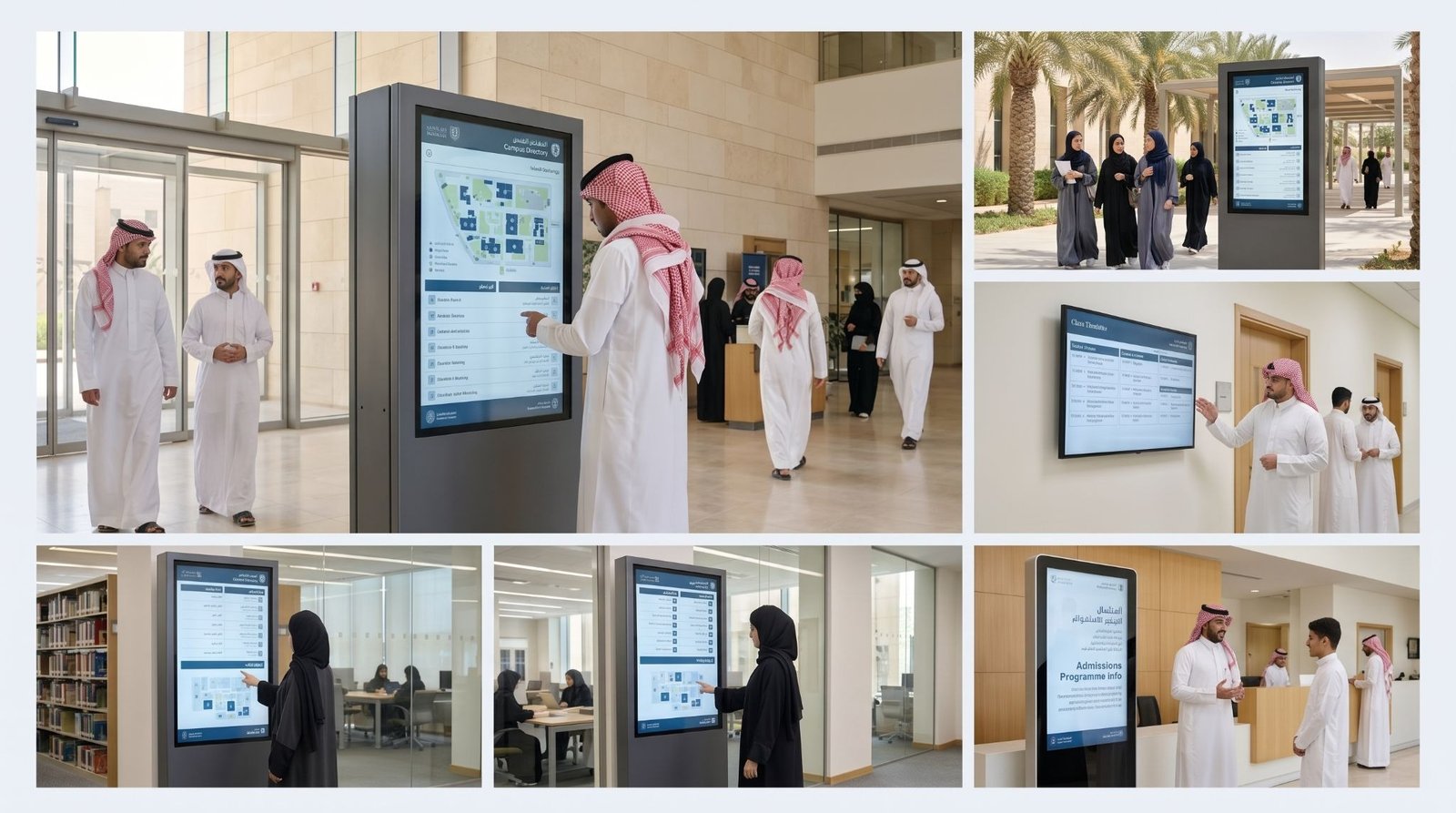
Universities, schools and training centres run large campuses with many buildings, and new students arrive every term. Lost students and missed notices are a daily problem.
Campus notice boards fill up with paper and get ignored. Kiosks keep timetables, events and announcements in one place that you update from a laptop.
- At campus entrances, an outdoor kiosk shows maps, announcements and event information.
- Along faculty corridors, wall-mounted kiosks show timetables and room allocations.
- Inside student halls and libraries, freestanding touch kiosks provide directories and library information.
- In the admissions area, a poster kiosk runs programme details and deadlines.
Need a kiosk sorted for your business? Message us on WhatsApp and we will walk you through it.
What Are the Most Common Kiosk Mistakes?
| Mistakes |
| Using an indoor screen outdoors |
| Buying the screen before choosing the location |
| Thin or unvented housing |
| Wrong touch height |
| No glare control |
| Crowded interface with small text |
| No rear or side service access |
| Placing the kiosk away from foot traffic |
| No content plan |
What Does Digital Kiosk Signage Cost?
Cost depends on the kiosk type, the screen size, the enclosure and the site. The table shows what moves the price for each type. Send us your site details for an exact quotation.
| Kiosk Type | Cost Level | What Affects the Price |
| Freestanding Touch Kiosk | Moderate-High | Screen size, touch type, enclosure material, media player |
| Outdoor Digital Kiosk | High | High-brightness panel, sealed housing, cooling |
| Poster & Standee Kiosk | Low-Moderate | Screen size, finish, content player |
| Wayfinding & Directory Kiosk | Moderate-High | Screen size, touch software, custom cabinet |
| Wall-Mounted Kiosk | Low-Moderate | Screen size, mounting structure, touch option |
| Dual-Screen Kiosk | High | Two panels, structural frame, power and cabling |
| Interactive (Touch) Upgrade | Low-Moderate | Touch technology, front glass, interface software |
How Does Etihad Golden Falcons Build Digital Kiosk Signage?
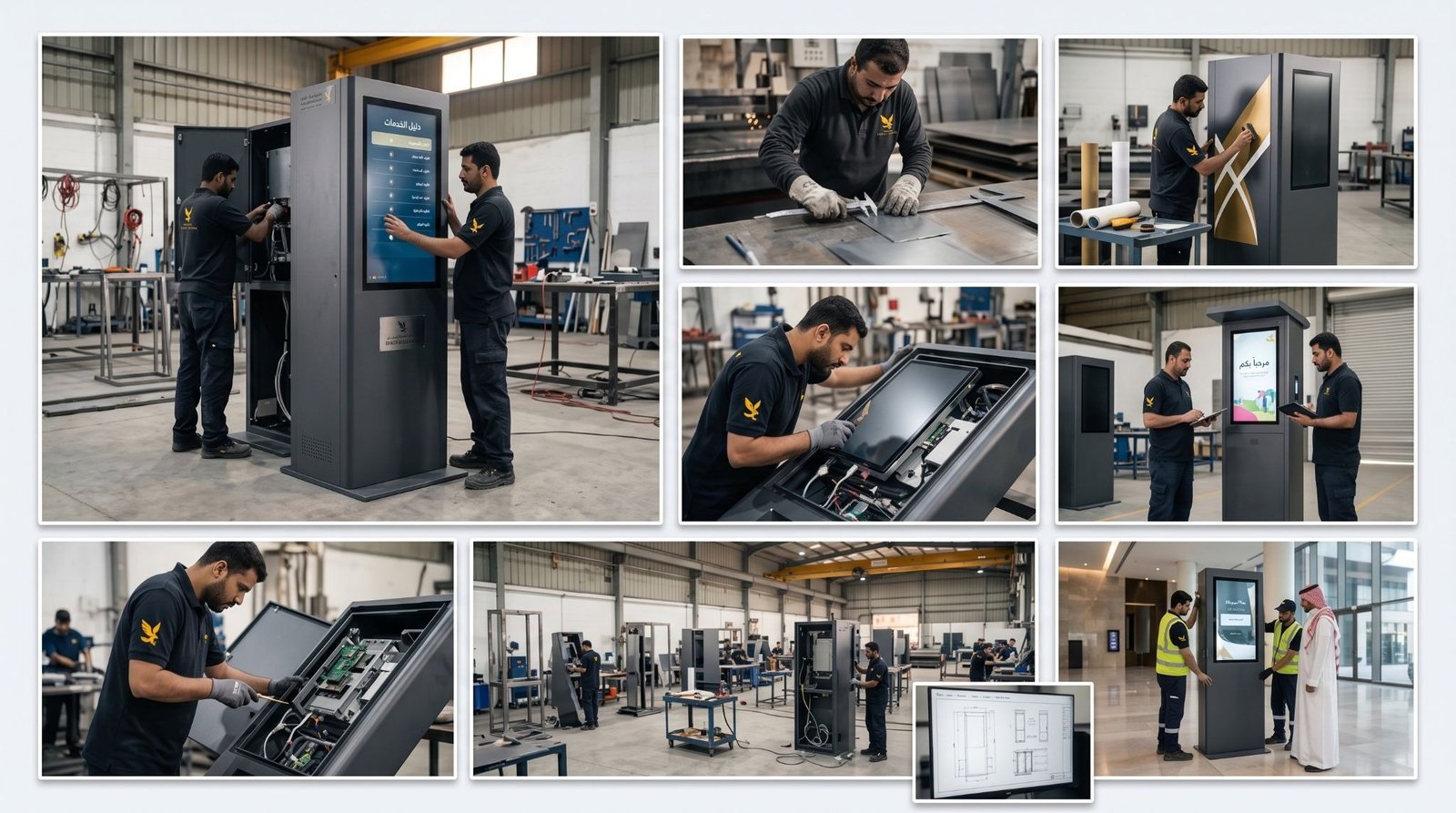
Etihad Golden Falcons builds the kiosk as one system. We fabricate the enclosure, apply your branding, fit the screen and install it on site. The cabinet is made to the screen you choose, not the other way around.
In-House Fabrication
The enclosure is fabricated in our own workshop. Metalwork, cladding, printed graphics and lit headers come from one team, so the parts fit the first time. You can change a finish or a dimension during production without waiting on an outside supplier. We build and install the kiosk and set up your screen content. Touch software and payment or ticketing systems come from specialist vendors, and we build the cabinet around their hardware.
Fast Turnaround
Quotations are same-day. Because fabrication, printing and installation run under one roof, a kiosk moves from drawing to site without handovers between companies. You get one point of contact for the whole project.
Proven Experience
Businesses across retail, healthcare, hospitality and public services have placed signage with us, and over 1,000 clients have done so. Outdoor kiosks on commercial frontage may need Balady approval. We don’t file it for you, but we prepare the drawings and specifications you need to submit.
Planning screens beyond a single kiosk? Read our guide to digital signage for displays, video walls and menu boards.
FAQs
What is digital kiosk signage?
It is a screen built into a standalone or wall-fixed enclosure that shows adverts, directions or information. Some kiosks respond to touch and others play looped content.
What is the difference between a digital kiosk and digital signage?
Digital signage is the wider category and covers any screen that shows managed content. A kiosk is one format of it, a self-contained unit with its own enclosure, and it is often interactive.
Can a digital kiosk be used outdoors?
Yes, if it is built for it. You need a high-brightness panel, a sealed and cooled housing and tempered glass. An indoor kiosk will overheat and wash out in direct sun.
Does a digital kiosk need a touch screen?
No. Use touch when visitors need to search or request something. Use a non-touch kiosk when the job is to promote offers or announcements.
What screen size should I choose?
43, 49 and 55 inch screens cover most projects. Choose by viewing distance. A busy atrium needs a larger screen than a reception corner.
Do you build custom kiosk enclosures?
Yes. We fabricate enclosures in the size, material, finish and branding your site needs, and install them on site.
Does an outdoor kiosk need municipality approval?
It can, depending on where it stands. We don’t file the approval for you, but we prepare the drawings and specifications you submit.
How is kiosk content updated?
You update it remotely from a browser through content management software. Changes reach every kiosk in your network without a site visit.